
Release Notes · April 29th, 2026
This release is about bringing the MMI platform closer together. The apps you use every day feel more unified, your data moves more easily between them, and the path from one workflow to the next has fewer interruptions in the way.
Universal Navigation in Data Center
The Universal Navigation bar — already loved in Bonzo — has officially arrived in Data Center. Move between Data Center, Bonzo, and Content Studio effortlessly through the new App Switcher, all without ever leaving your page. With a refreshed profile settings and a cleaner, more intuitive layout, the MMI platform now feels more connected than ever.
Prefer the classic view? A per-user toggle in your profile menu lets you switch back to the legacy layout during the transition period.
What's New
- Universal Nav enabled by default for all accounts with a Bonzo connection
- Refreshed profile dropdown with updated account and settings access
- Ability to collapse the left hand navigation for more room
- App Switcher integration for navigating between Data Center, Bonzo, and Content Studio
- Per-user toggle to revert to the legacy layout during the transition period
Note: Requires a Bonzo CRM first-party connection. Learn more about Universal Navigation →
Homescreen Drag-and-Drop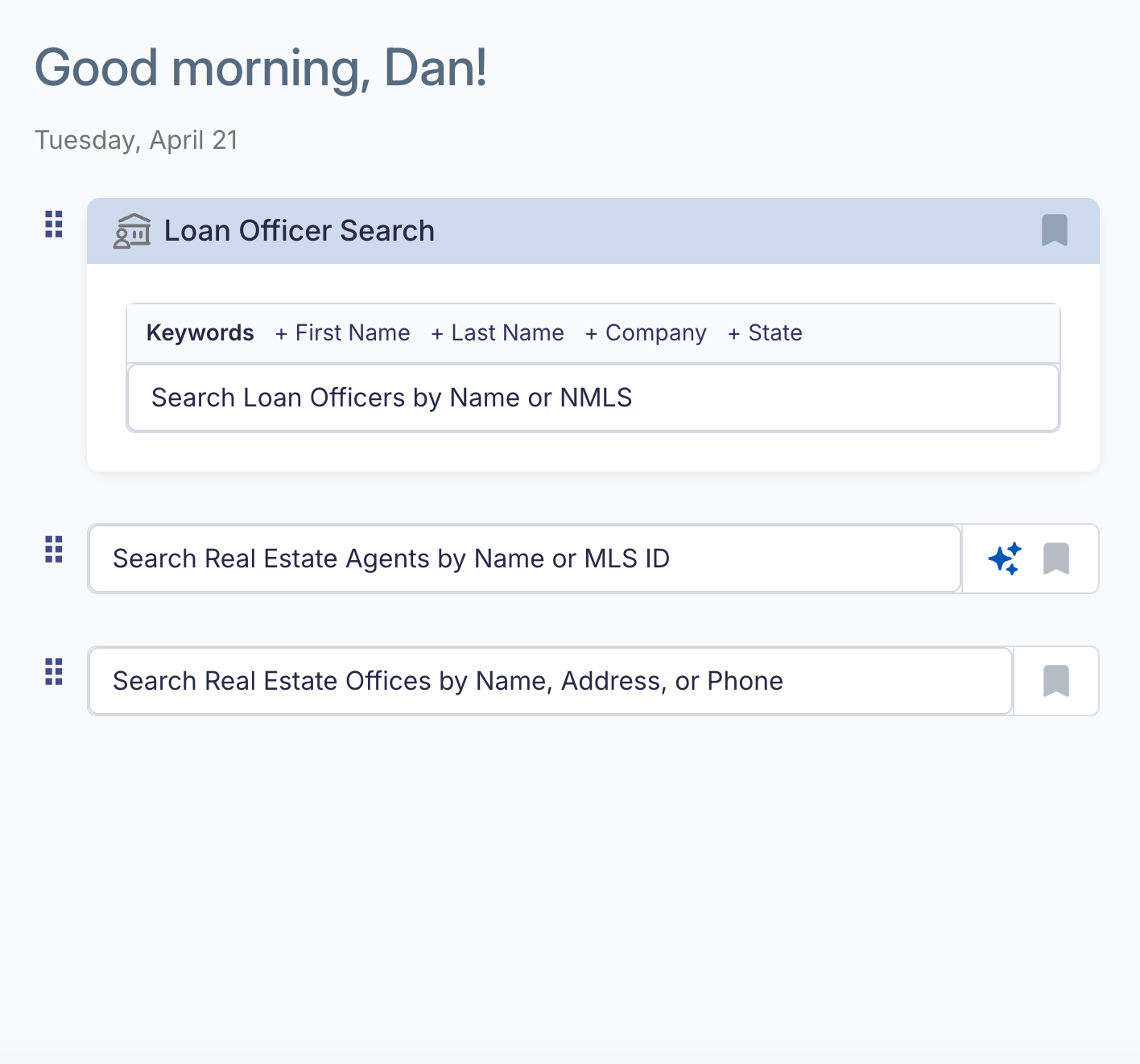
Rearrange pinned searches and tools on the Data Center home screen by dragging them into the order that works best for you. Your layout saves automatically and persists across sessions.
What's New
- Drag-and-drop reordering for pinned searches and tools
- Custom layout saved per user
- Order persists across sessions and devices
Agent Quick Templates
Six preset search templates built specifically for real estate agents are now available. Same one-click pattern as the LO Quick Templates, tuned for the agent audience.
What's New
- Active Buyers — agents with high buy-side activity
- Mid-market Producers — consistent performers in the middle of the market
- Buy Side Focus — buy-side heavy agents
- Listing Focus — listing-heavy agents
- New Construction Listings — new build specialists
- Rising Agent — fast-growing agents gaining market share
Learn More: Agent Quick List Templates →
Units on Lender Profile Hover
Lender Profile Quick Analytics now show total units alongside transaction volume in a hover tooltip, giving you a fuller picture of lender activity without leaving the profile.
What's New
- Total units displayed on hover alongside transaction volume
- Available on Lender Profile Quick Analytics
Lender Comparison Tool
Compare any two lenders side by side without leaving the profile you're already viewing. The new Lender Comparison tool brings production volume, rankings, snapshot mix, top states, and top loan officers into a single in-product view — so you can size up the competition without bouncing between profiles.
What's New
- Search by name or NMLS to load any second lender into the comparison
- Side-by-side production summary, including volume, units, growth, and national/state/regional rankings
- Trailing production volume chart plots both lenders on the same timeline
- Transaction type and loan type donuts show each lender's mix at a glance
- Top 5 states and top loan officers populate per lender so you can see exactly where each one competes
- Shared recording window control (Last 7 Months, Last 14 Months, and more) applies to both lenders at once
Learn More: Lender Comparison Tool →
Agent Precision Search
Compare any two lenders side by side without leaving the profile you're already viewing. The new Lender Comparison tool brings production volume, rankings, snapshot mix, top states, and top loan officers into a single in-product view — so you can size up the competition without bouncing between profiles.
What's New
- Filter agent search by First Name, Last Name, Office, and State, layered on top of the existing Keywords search
- Search by agent name or MLS ID directly from the keyword field
- Combine multiple filters at once for narrower, more targeted results
Agent Partners
Your buyside and listside agent relationships now live in a single Agent Partners page. Instead of switching between two separate views, you can see every agent you've closed with on either side of a transaction in one grid — with combined production totals, last transaction date, and contact options inline.
Use the side filter at the top of the page to narrow the view to buyside-only, listside-only, or see all partners together. Saved views, filters, and contact actions work the same way they always have.
Learn More: Agent Partners →
Bonzo Features Releasing on April 30th, 2026
Lead Routing Policies
Lead Routing Policies give admins a single hub to control how inbound leads are distributed across your team. Build routing rules with qualification criteria, distribution methods, and quota limits — then take it a step further by selecting groups of existing prospects and re-routing them in bulk through any policy you've created.
What's New
- Round Robin distribution to assign leads equally in sequence across all assignees
- Weighted Distribution to assign leads based on custom percentages per assignee
- Qualification criteria let you define the conditions a lead must meet to qualify for a policy, including campaign, pipeline stage, and assignee groupings
- Condition Groups support both AND and OR logic so you can build more flexible routing rules
- Quota Management and Overflow Rules to keep distribution balanced when assignees hit their limits
- Bulk actionability to select a group of existing prospects and re-distribute them through any active routing policy
Learn More: Lead Routing Policies →
Campaign Updates
A set of improvements to how campaigns work, from how prospects get tagged to how you handle responses mid-sequence.
Tagging Across All Prospects
Tagging within Campaigns now applies the campaign's associated tag to every prospect in the campaign — both new enrollments and pre-existing contacts. This keeps your tagging consistent across your full audience without needing to manually update older records.
Campaign Settings Warnings
A new warning surface inside Campaign Settings highlights which fields cannot be edited once prospects are enrolled. This gives you clear visibility into what's locked and what's still adjustable, so you can make changes confidently without breaking active campaigns.
Pause and Resume "Stop on Response" Campaigns
You can now resume a "Stop on response" campaign after a prospect has replied. When a prospect responds, the campaign automatically pauses so you can carry on a natural back-and-forth conversation. Once the conversation wraps up, manually resume the campaign from where it left off to re-engage the prospect with the existing drip sequence.
What's New
- Campaign tags now apply to both newly enrolled and pre-existing prospects
- Campaign Settings warnings flag which fields cannot be edited after prospect enrollment
- Resume "Stop on response" campaigns manually after a prospect conversation ends
- Campaigns automatically pause when a prospect responds, allowing for natural conversations
- The drip sequence picks up where it left off when the campaign is resumed
Expanded Text Opt-Out Recognition
Bonzo now recognizes a wider range of text opt-out terms beyond just "STOP," so more variations are honored automatically for DNC compliance — reducing the risk of a lead being accidentally messaged after requesting to opt out.
What's New
- Broader set of opt-out keywords recognized automatically
- Improved DNC compliance across inbound SMS
- Reduced risk of messaging a lead who has opted out
Apply Button for Quick Filters
The People tab now includes an Apply button for quick filters. Set up the filters you want first, then click "Apply" to run the search. This gives you full control over when the search runs and helps the page load faster.
What's New
- Searches now run only after you click "Apply," not as you adjust filters
- Improved load speeds when working with multiple filter selections
Analytics Dashboards
A new suite of Analytics Dashboards gives you clear visibility into how your messaging is actually performing — from deliverability and engagement to loan officer activity and pipeline health. Instead of guessing why a broadcast underperformed or which campaign message is hurting your delivery rate, you can now see exactly what's happening and where to focus your next edit.
What's New
- Vitals — a single-page snapshot of outreach activity, engagement, deliverability, and campaign performance
- Message Deliverability — delivery rates, failure types, and carrier-level breakdowns by user, broadcast, and campaign
- Campaign Performance — side-by-side campaign comparisons and per-message sequence deliverability to pinpoint exactly which message needs fixing
- Loan Officer Performance — detailed messaging and call activity broken down by individual team member
- Prospect Pipeline — prospect counts by pipeline stage and team member assignment
Role-based visibility — SuperUsers see the full org, Team Leads see their team, individual members see their own data - Filter by time period, team, channel, or campaign; export any table or chart
Learn More: Analytics Dashboards →
Home Search Auto-Login for Borrowers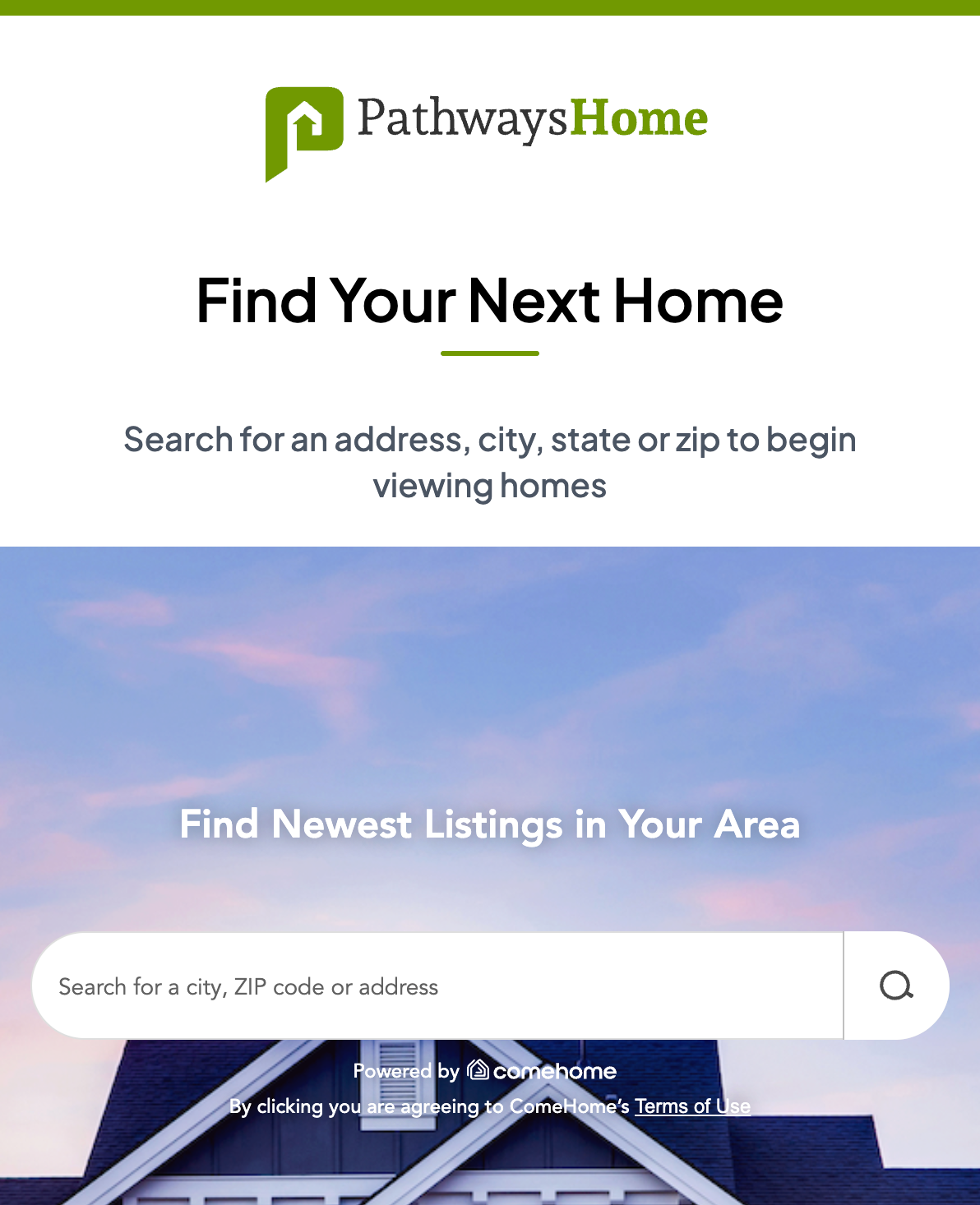
Borrowers arriving from an LO's one-to-one invite link no longer have to sign in manually to browse Pathways Home Search. Invite links now route through a landing page that authenticates borrowers automatically and drops them directly into the search experience.
What's New
- Invite links authenticate borrowers automatically via SSO
- Borrowers land directly in the Home Search experience
- Removes a manual sign-in step that was costing engagement at the top of the funnel
Home Search Auto-Login for Borrowers
Loan officers can now opt in to receive a daily summary email recapping how borrowers engaged with their Pathways Home property pages the day before. Each email arrives at 6:00 AM MT and links directly to the My Properties page, making it easy to follow up while engagement is still fresh.
What's New
- Daily summary email recapping prior-day engagement on Pathways Home property pages
- Recap includes total interactions, page views, calculator usage (Equity Refi and Cash Out), and contact card clicks
- Direct link from the email to the My Properties page for fast follow-up
- Opt-in based, so loan officers control whether the summary lands in their inbox
🐞 Bug Fixes
Reliability and performance improvements shipping this release.
Bonzo
- Token purchasing, allocation, and subscription visibility now work better across Stripe and in-app
- Leads, conversations, and Pipeline views stay intact when users move between teams
- Conversation Tab displays correctly for Team Leads and updates when filters are cleared
- Campaign timing is accurate — Day 1 events no longer skip, send windows calculate correctly, and sending days stay as configured
- Webhook routing dropdowns correctly show all eligible users on large teams, and routing conditions are visible without entering edit mode
- Custom field exports, broadcast delivery, team Region columns, and the import Mapping flow all work reliably
- Pipeline and campaign metadata now renders in the Conversations view, and the Adjust Columns modal stays open across multiple selections
- Leads marked opted-out without a STOP message, un-DNC requests, and post-opt-out campaign statuses now behave correctly
- A conditions indicator now appears on pipeline stages and events that have conditions applied
- Broadcasts reach the full recipient list — the send-to-fraction issue is resolved
Data Center
- Agent profiles load active and sold listings, title agency data, and buyside/listside data correctly
- User-added transactions appear under My Mortgages immediately after being added
- Offices Agent Roster columns simplified — organizational numbering removed from BS, LS, and Dual labels
Pathways Home
- Property Page buffer rate now correctly displays 50 bps above national average
- Add New Property no longer errors on save
- Addresses with unit and apartment numbers are now accepted without error
Comments
0 comments
Please sign in to leave a comment.